Partner program
Give your practices a 24/7 AI answering service, under your brand.
For consultants and management companies that serve medical, dental and veterinary practices. You add practices from your own console. They get DeskMD’s answering service with your name, your logo and your web address — billed to you, or paid by each practice with a share going to you.
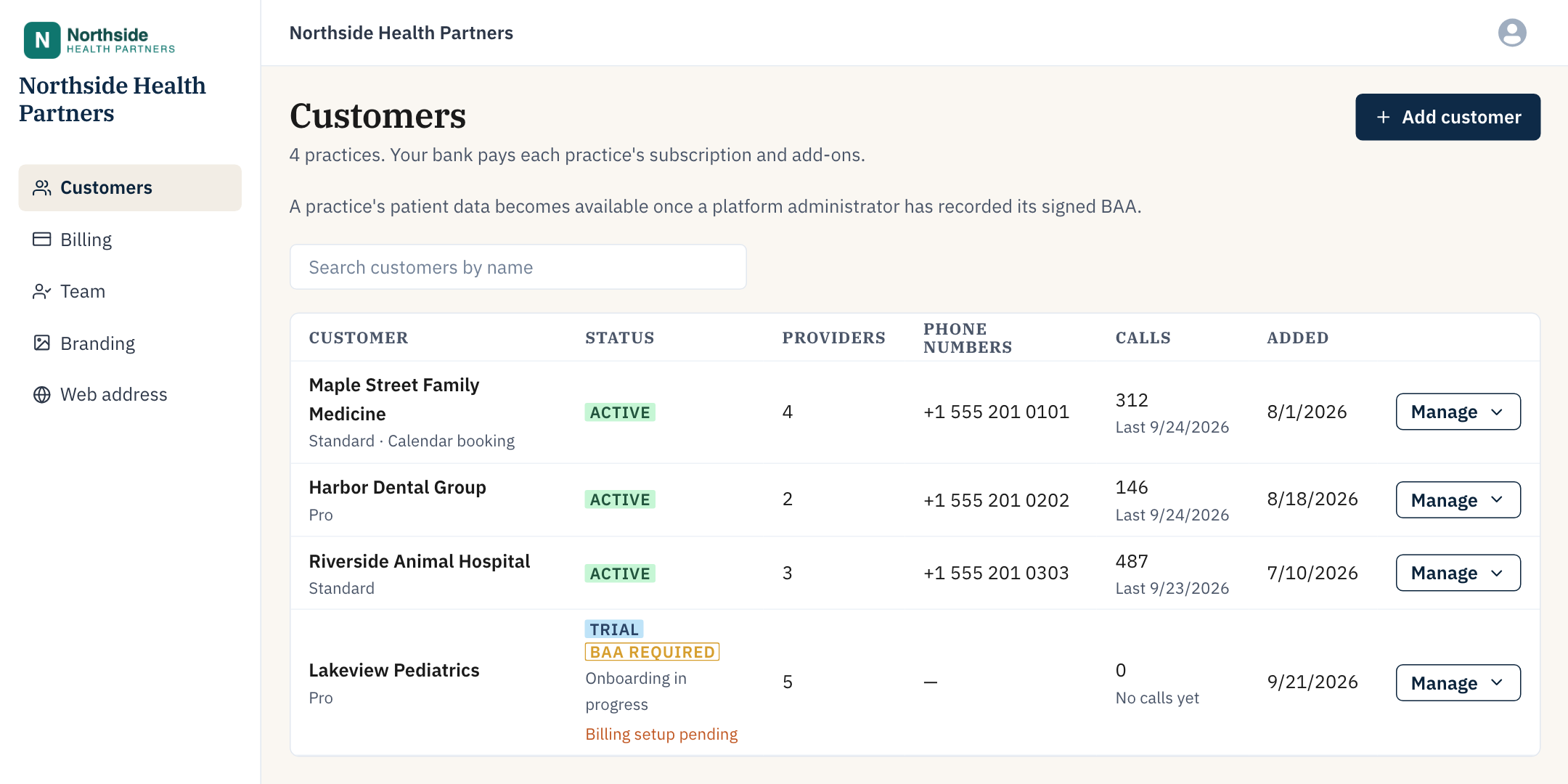
The partner console at a partner’s own web address. Sample data.
Who it’s for
For firms that already look after practices.
If practices already trust you with their operations, you can answer their phones too — without staffing a call center.

Practice consultants
Add answering to the operations work you already do for your clients.

Management companies
Run answering for every practice you manage from one console, each with its own number, greeting and inbox.

IT and phone-system providers
Offer answering alongside the phones and IT you already look after.

Billing companies
Add answering to the billing and front-office work you already do for practices.
How it works
From your first practice to its first call.
We set up your partner account
We create your console and your plans with you — your plan names, your per-provider prices. Your practices see only your plans, never DeskMD’s public ones.
You add a practice
Enter the practice and its owner’s email, and pick one of your plans. The owner gets an invitation with your name and logo.
It goes live
Send us the practice’s signed BAA. Once it’s on file, you can open the practice to set up its providers, greeting and call handling, and it answers patients 24/7.
Billing
You pay for your practices, or they pay us.
We agree which one with you when we set up your account.
Your bank pays
You pay, and bill your practices your way
Connect a US bank account once. Each practice has its own subscription on your plan, and each invoice is debited from your bank when it’s issued — add-ons included. Your practices never see a price, an invoice or a card form; what you charge them is up to you.
- Every invoice, practice by practice, in your console
- Bank debit (ACH) through Stripe; no card needed
- Practices go live once your bank is verified
Practices pay
They pay DeskMD, and you earn a share
Each practice subscribes by card on your plans, with a free trial and invoices from DeskMD. You receive your agreed percentage of every payment they make, paid out automatically by Stripe to your own account.
- Your plans only, never DeskMD’s public prices
- Your share of every payment, add-ons included
- Payout account connected from your console
Partner plans are flat per provider per month, with no per-call or per-minute charges. Partner pricing is agreed with each partner — email sales@deskmd.ai.
Your brand
Your name and logo, not ours.
Your practices see your brand wherever they meet the service. Patients hear each practice’s own greeting.
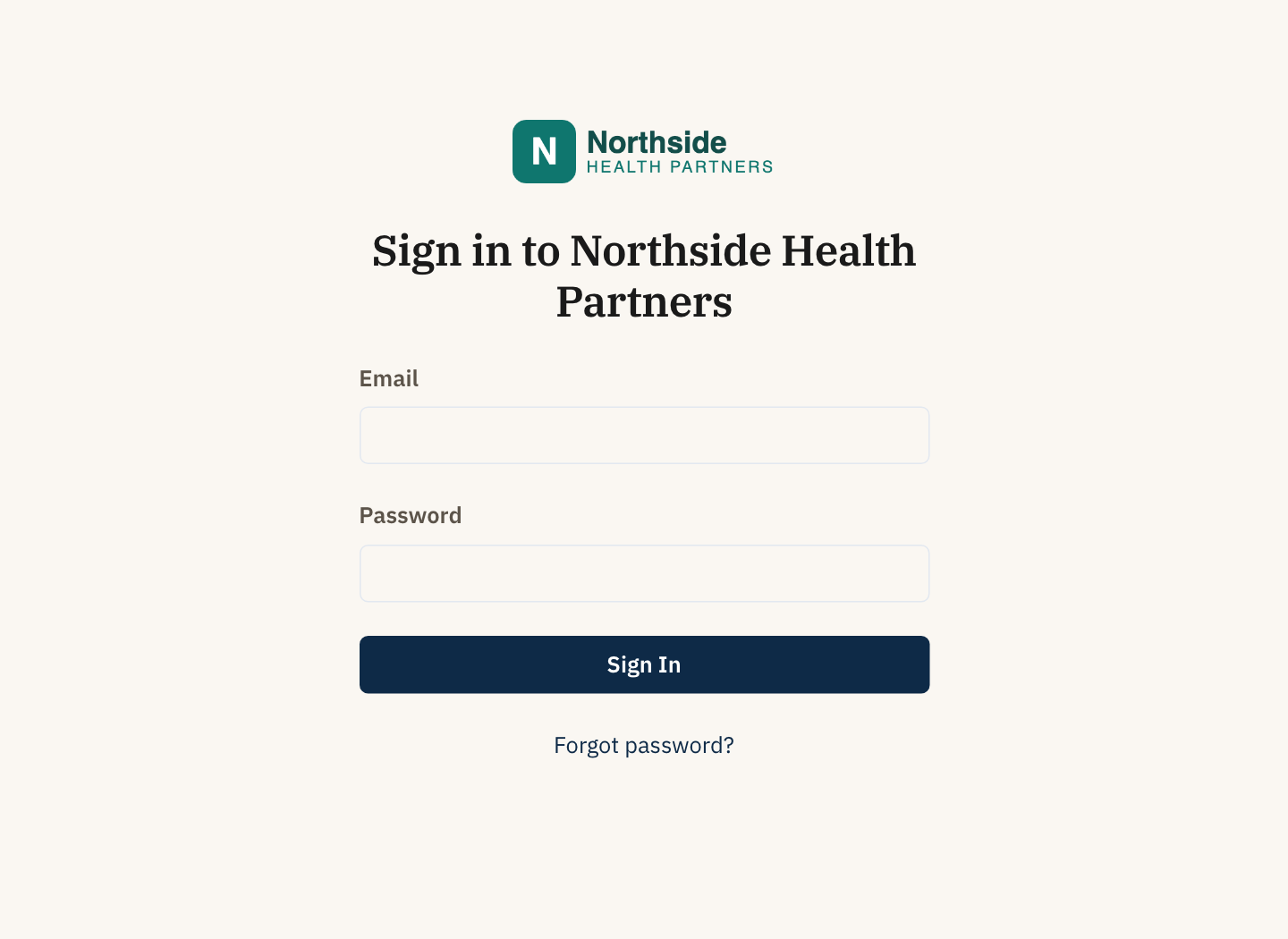
Sign-in at a partner’s own address. Sample partner.
Everywhere your practices look
The app, sign-in page, emails, text alerts, support and the calls that tell staff about new messages all carry your name and logo.
- App menu and browser tab show your logo
- Emails are sent under your name
- Text alerts and staff notification calls name you
- Support chat and replies carry your brand; DeskMD’s team answers
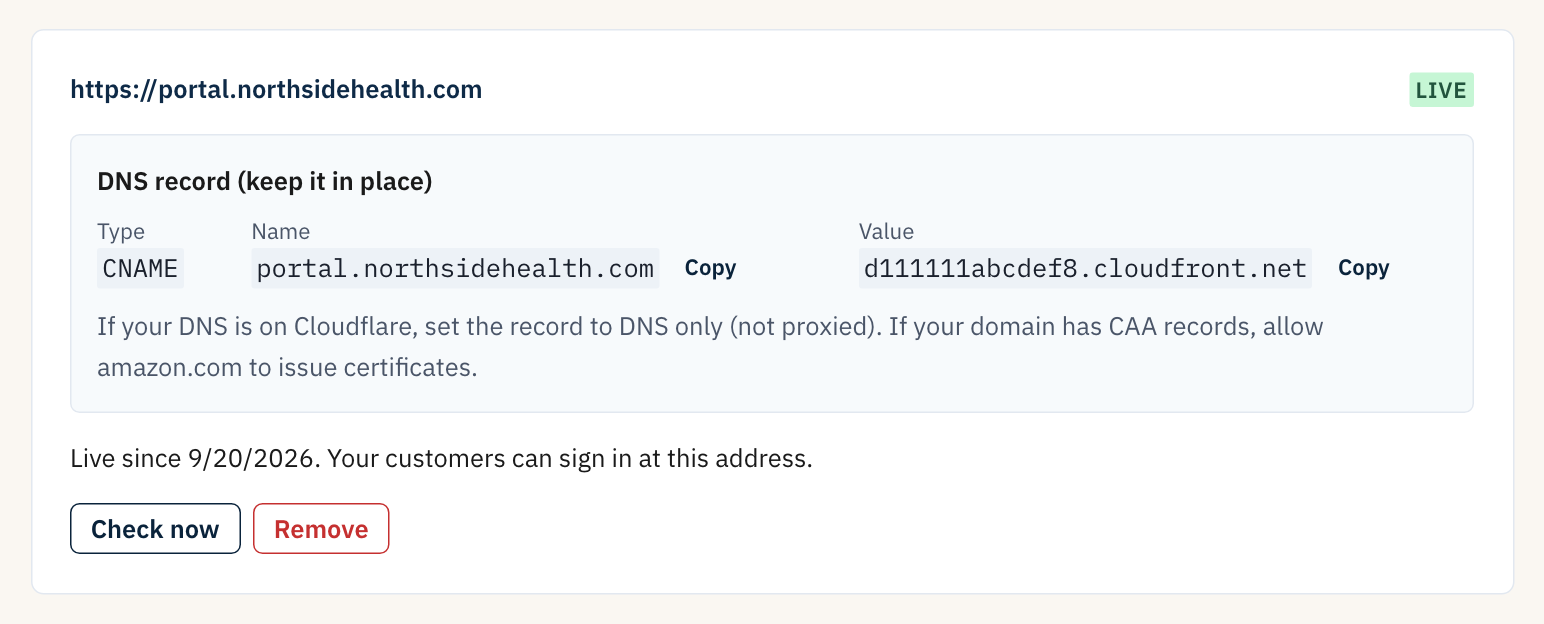
The Web address page. Sample data.
The app at your own web address
Pick a subdomain you own, such as portal.yourcompany.com, and add the one DNS record your console shows. The security certificate is issued and renewed automatically.
- Your practices sign in at your address
- Invitations, password resets and call-alert links use it
- No sign-up link on your sign-in page
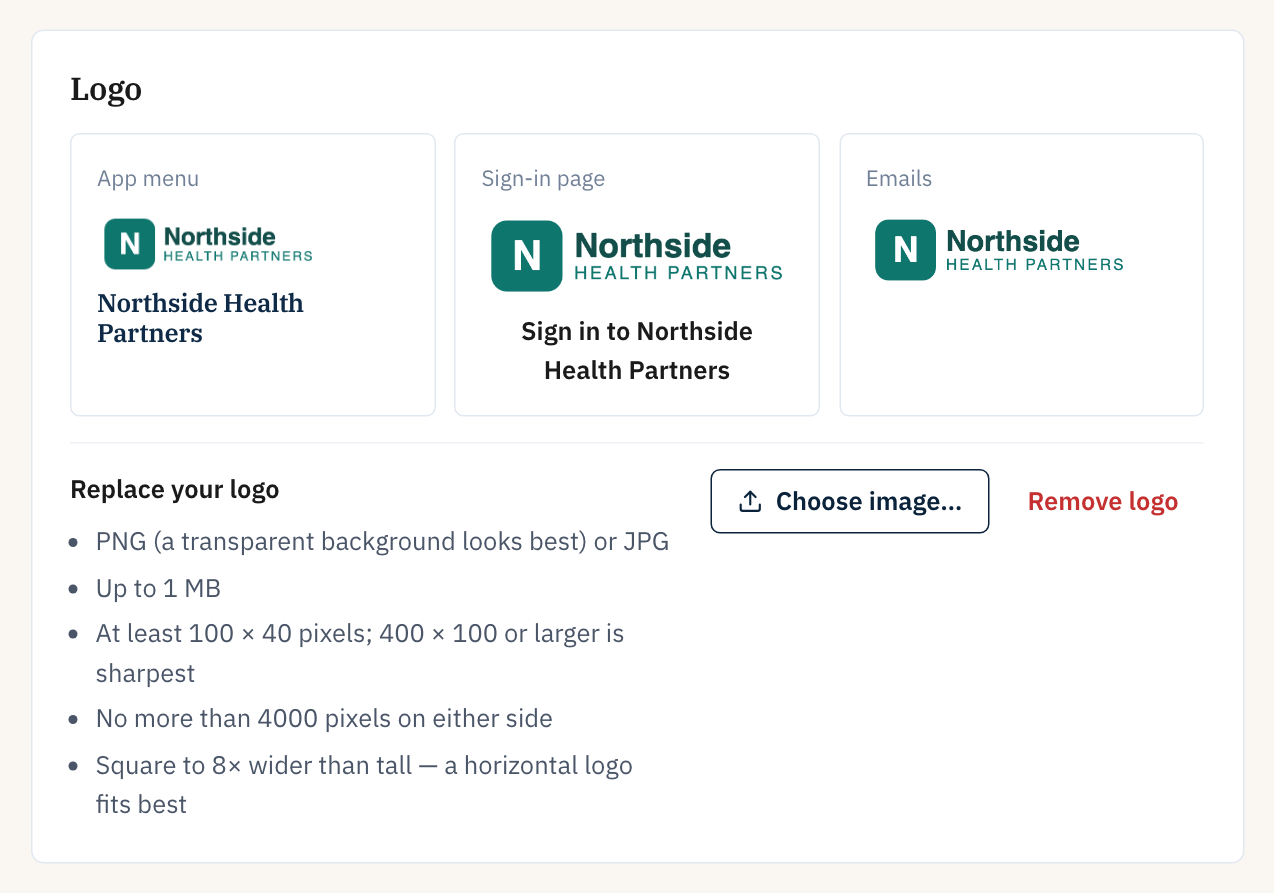
The Branding page. Sample logo.
Change your name and logo yourself
Upload a PNG or JPG and see it in the app menu, on the sign-in page and in emails before you use it. The console checks the file first — size, resolution and shape — and says in plain words what to fix.
Partner console
One console for every practice you serve.

Customers
Each practice’s status, plan, providers, phone numbers and call volume at a glance. No patient information.

Add and manage
Add practices and invite their owners, change plans, and suspend or reactivate a practice.

Open a practice
Work inside a practice’s account to set it up, once its BAA is on file. Every visit is logged.

Billing or payouts
Your bank and every invoice, or your payout account and your share.

Team
Invite admins, who manage everything, and members, who can view.

Branding and web address
Your name, logo and address, managed by you.
For every practice
What your practices get.
The same answering service DeskMD’s own customers use, on the plan you choose for each practice.
- Answers 24/7 and captures caller, callback number, reason and urgency, with the transcript and recording
- Detects which provider the caller wants, by name
- Follows each practice’s own instructions and triage questions
- Alerts staff by text, email or phone call, with patient details behind secure links, never in the text itself
- A backup line or voicemail takes the call if the AI is ever unavailable
- Live transfer to the office and 20+ languages at native quality, on plans that include them
- Caller-confirmed booking into Google Calendar or Calendly, as an add-on
- HIPAA compliant: signed BAA, encrypted recordings, six-year audit trail
HIPAA
Patient data stays with each practice.
Your console shows practices and call counts, never patients. Access to patient information is per practice, and on the record.
- No practice handles patient data before its signed BAA is on file
- When your admins open a practice, the visit and everything they view are written to its audit trail
- Removing someone from your team ends their access at once
- A practice’s sign-in details stay its own: your admins can’t change its users’ email or password
FAQ
Partner program questions.
Who sets the prices?
We set up your plans with you: the plan names and the per-provider monthly price for each. If you pay for your practices, they never see our prices, and what you charge them is up to you. If they pay DeskMD directly, they pay your plan’s price and you receive your agreed share of every payment.
Do my practices see DeskMD’s name?
They see your name and logo in the app, in emails, in text alerts, in support and on the calls that tell their staff about new messages — and on the sign-in page too, once your own web address is set up. Text alerts are sent from DeskMD’s shared notification number, and practices that pay DeskMD directly are charged and invoiced by DeskMD. Patients hear each practice’s own greeting.
Can we use our own domain?
Yes, as a subdomain such as portal.yourcompany.com. You add one DNS record and the security certificate is issued and renewed automatically. A bare domain (yourcompany.com) can’t be used.
How does the BAA work?
Send us each practice’s signed BAA and we record it on that practice. Only then does the practice take patient calls, and only then can your admins open it. Until then, the practice’s owner can start setting it up.
A practice we serve already uses DeskMD. Can it join us?
Yes. We move it under your partner account onto one of your plans, and it keeps its settings, calls and phone numbers. Send us its signed BAA with the request so it keeps answering without a break.
What if a practice stops working with us?
We move it to its own DeskMD account with its settings, calls, recordings and phone numbers, and it pays DeskMD directly from then on. Your past invoices for it stay in your console.
How do we start?
Email sales@deskmd.ai. We set up your partner account and your plans with you, then you add your first practice from the console.
Add answering to what you already do for practices.
Tell us about the practices you serve, and we’ll set up your partner account.